Yarn Style Text Effect Design
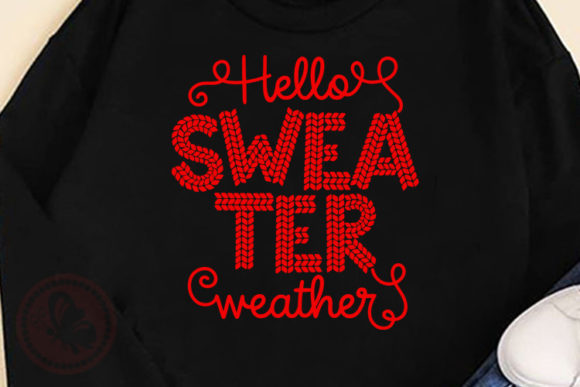
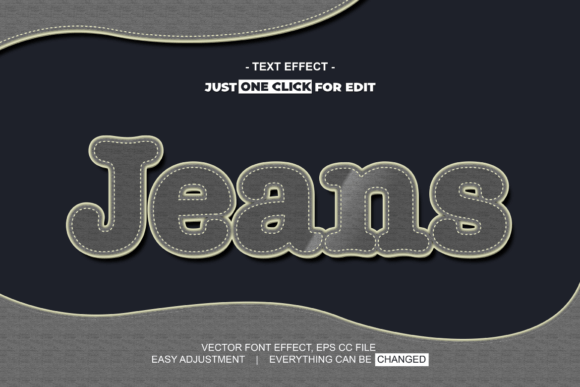
Introducing the Yarn Style Vector Text Effect Editable, a dynamic design asset that brings texture and visual interest to any project. This unique text effect mimics the soft, organic look of yarn, offering a fresh twist on typography. Ideal for creative professionals looking to elevate their work, this editable vector effect is built for flexibility and precision in Adobe Illustrator. Whether you're working on branding, editorial layouts, or digital marketing materials, this effect adds a layer of depth and personality to your designs.
Why Yarn Style Text Effect Matters in Modern Graphic Design
In today's competitive design landscape, standing out is essential. The Yarn Style Vector Text Effect Editable helps designers achieve just that by introducing a tactile, handcrafted feel to otherwise flat text. This effect enhances visual hierarchy and draws attention to key messages, making it an excellent tool for creating impactful brand identities. It blends seamlessly with modern aesthetics while adding a touch of warmth and creativity.
The versatility of this text effect makes it suitable for various industries—from fashion and lifestyle to tech and education. Its ability to adapt to different color palettes and compositions allows it to fit into diverse design workflows without compromising quality or coherence.
Practical Applications Across Creative Fields
The Yarn Style Vector Text Effect Editable can be applied in numerous ways:
- Branding and Logo Design: Use the effect to add a unique texture to logos, helping establish a memorable brand identity.
- Social Media Graphics: Create eye-catching captions and headlines that stand out on platforms like Instagram and Pinterest.
- Web and UI Design: Incorporate the effect into website headers or call-to-action buttons to improve user engagement.
- Packaging Design: Add a handcrafted aesthetic to product labels and packaging for a more personalized touch.
- Advertising Campaigns: Use the effect to make promotional content more visually compelling and engaging.
Design Tips for Using Yarn Style Text Effect
To get the most out of the Yarn Style Vector Text Effect Editable, consider these tips:
1. Maintain Consistency: Ensure the effect aligns with your overall design system and brand guidelines. Avoid overusing it to maintain visual harmony.
2. Focus on Readability: While the effect adds texture, it shouldn't compromise legibility. Choose appropriate font weights and sizes to ensure clarity.
3. Experiment with Color: Pair the effect with complementary colors to enhance visual appeal. Test different combinations to find the best match for your project.
4. Scale Appropriately: Since the effect is vector-based, it scales perfectly across print and digital media. Always test how it looks at different sizes before finalizing your design.
5. Leverage Visual Hierarchy: Use the effect strategically to highlight important information. Place it where it can guide the viewer’s eye effectively.
How to Get Started with Yarn Style Vector Text Effect
Getting started with the Yarn Style Vector Text Effect Editable is simple. Once downloaded, open the Adobe Illustrator file and begin editing. You’ll have full control over the text and design elements, allowing you to customize the effect to suit your needs. The included EPS file also ensures compatibility with other design software, making it easy to integrate into your workflow.
Whether you're a seasoned designer or just starting out, this editable text effect offers a powerful way to inject creativity into your projects. With its seamless integration into various design applications, it’s a valuable addition to any creative toolkit. Embrace the charm of handcrafted textures and elevate your visual storytelling with the Yarn Style Vector Text Effect Editable.